course-c
History
-
Originally designed and implemented by Dennis Ritchie on a DEC PDP-11
-
Influenced by B written by Ken Thompson in 1970
-
First C standard in 1988 by ANSI (C89)
-
Adopted by ISO in 1990 (C90)
-
Most recent standard C99 by ISO
-
Compiled language
-
Source code portable
C program – hello.c
#include <stdio.h>

 /* function main - print hello world */
int
main()
{
    printf("hello world!\n");
    return 0;
}
C program structure
-
Multi-line comments begin with
/*and end with*/, these are called delimiters -
#is used to begin pre-processor directives - Execution of a C program begins at function main
- main can return an int value to the operating system otherwise it should return void
-
Code blocks and function bodies begin with { and end with }
- C statements end with a semicolon ;
Executing hello.c
-
Use GCC
gcc hello.c -o hello -Wall -
Without -o option the output is named a.out
-
Execute
./hello -
Output
hello world!
Compilation process
-
Compiler produces the executable by performing the following steps
-
Pre-processing
-
Compilation and assembly
-
Linking
-
Pre-processing
-
Conceptual first step in compilation
-
Two tasks commonly performed
-
File inclusion with
#includedirective#include <stdio.h> -
Macro substitution with
#definedirective#define pf printf pf("hello world!")
Compilation and assembly
-
Lexical and semantic analysis to generate intermediate code
-
Transform the intermediate code to assembly or machine code
-
Creating an object file using GCC
gcc hello.c -c-
The -c option tells GCC not to perform linking
-
A file called
hello.ois produced
-
Linking
-
Linking combines all the object files and required library code to produce a single executable
gcc hello.o -o hello
Multiple source files – hello.c
#include "print.h"
/* Function main - Print hello world */
int
main()
{
  print_hello();
}
Multiple source files – print.c
#include <stdio.h>
#include "print.h"
void print_hello()
{
  printf("printing: hello world!\n");
}
Multiple source files – print.h
#ifndef _PRINT_H_
#define _PRINT_H_

extern void print_hello();

#endif //_PRINT_H_
#ifndef/#endifprevents pre-processor from including same file twice
Simple compilation
-
Compile and link using gcc
gcc hello.c print.c -o hello -
Execute
./hello -
Output
printing: hello world!
Complex Compilation - With Error
-
Compile
hello.cusing gcc; produceshello.cgcc hello.c -c -
Compile
print.c; producesprint.ogcc print.c -c -
Link using gcc
gcc hello.o -o hellohello.o(.text+0x27):hello.c: undefined reference to `_print_hello' collect2: ld returned 1 exit status
Complex Compilation – Correcting the Error
-
Link using gcc
gcc hello.o print.o -o hello -
Using ld
ld -o hello \ /lib/crt0.o -L/opt/gcc.3.3/lib/gcc-lib/i586-pc-interix3/3.3 \ hello.o print.o -lgcc -lc -lpsxdll -v- Calling gcc with
-vswitch shows how - Note path to
libgcc.ain my Windows SFU installation
- Calling gcc with
Using a Graphical Debugger
-
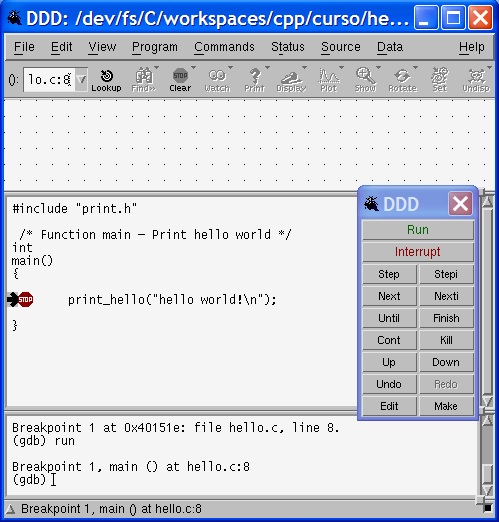
DDD is a graphical debugger for X Windows and it uses gdb, the command line debugger
-
Re-compile source code with extra debug information for gdb
gcc -g hello.c print.c -o hello -
Execute ddd
ddd hello -
Try stepping through code and adding watch expressions
-
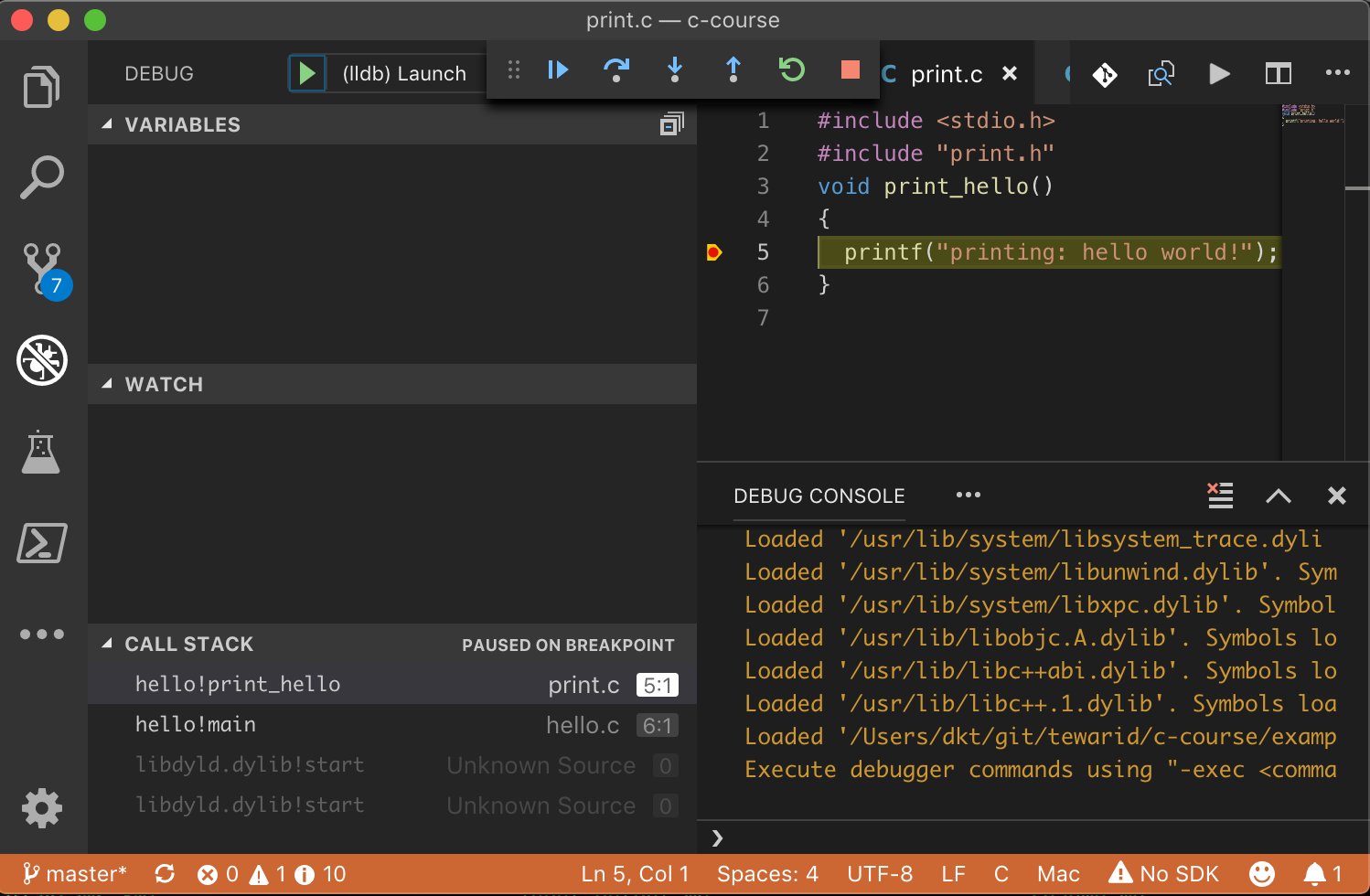
Repeat with VS Code
Debug Using DDD
 {height=50%}
Debug Using VS Code
 {width=50%}
Other Topics
-
Creating static and shared libraries
-
Dynamic linking
-
GCC compile, link and optimize options
-
Building applications with make
-
Using an IDE for C/C++ development